Formulation and R&D software for food scientists
Stop running food R&D on spreadsheets.
Formulas, supplier specs, trial notes and labels in one workspace built for small R&D teams. Build your formula once, get everything you need from it, and hand the busywork to Rigatoni.
Free 7-day guided pilotYour ingredients. Your formulas.No credit card
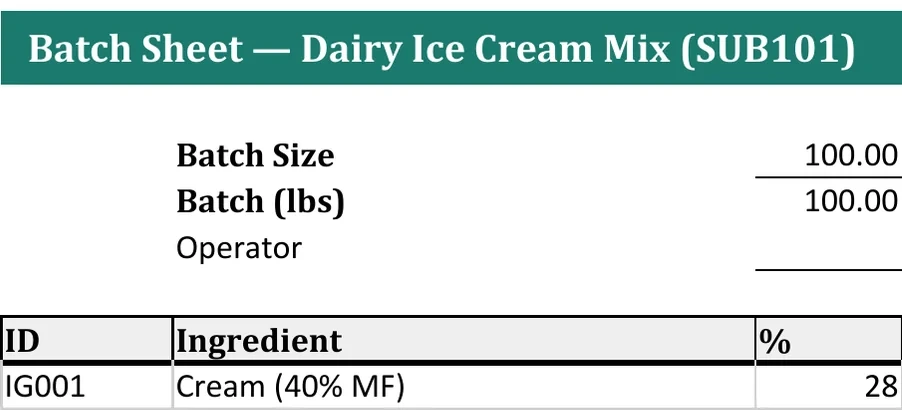
One formula
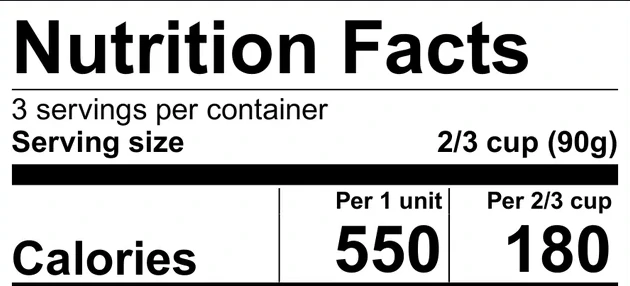
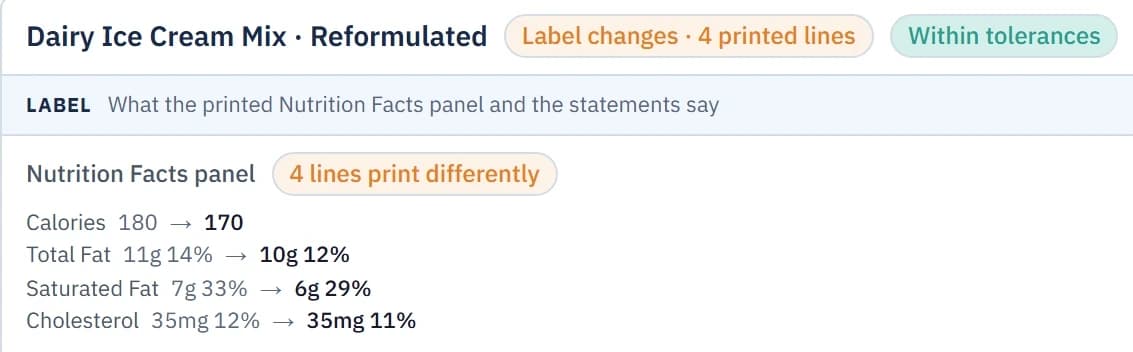
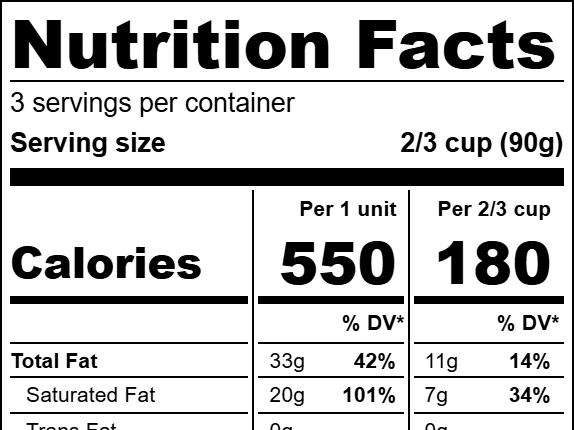
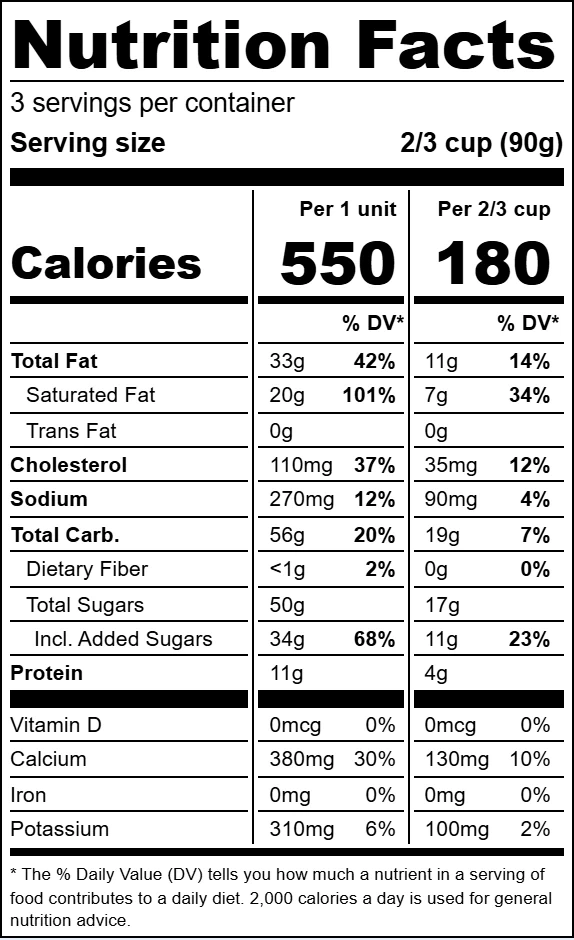
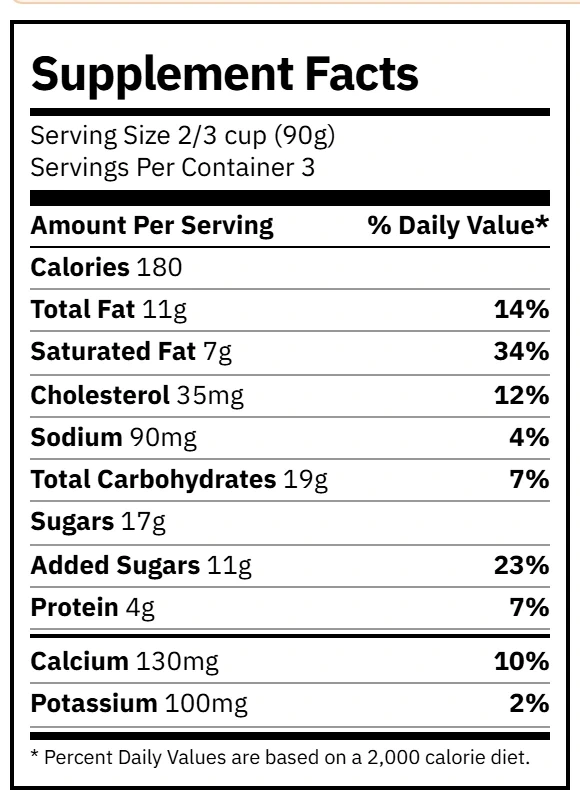
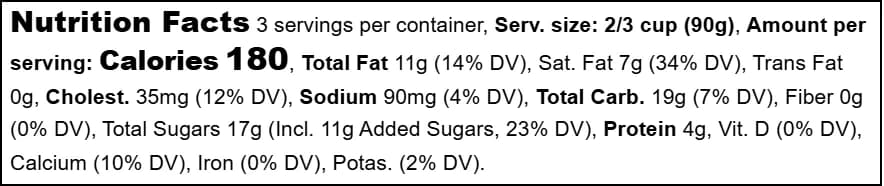
Nutrition Facts
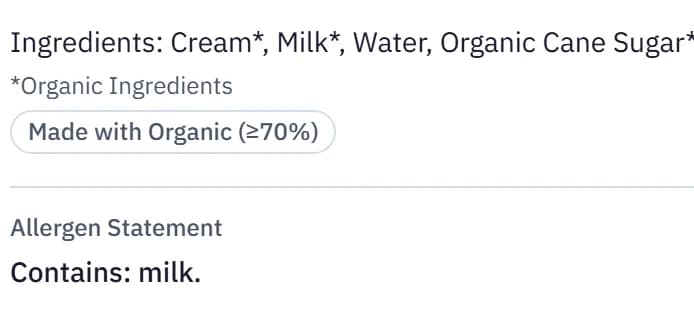
Ingredient statement
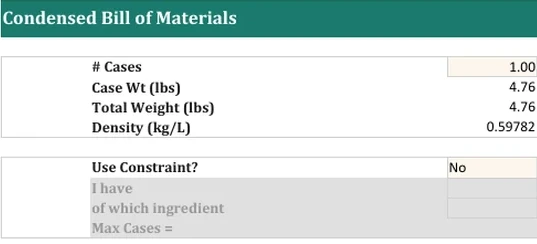
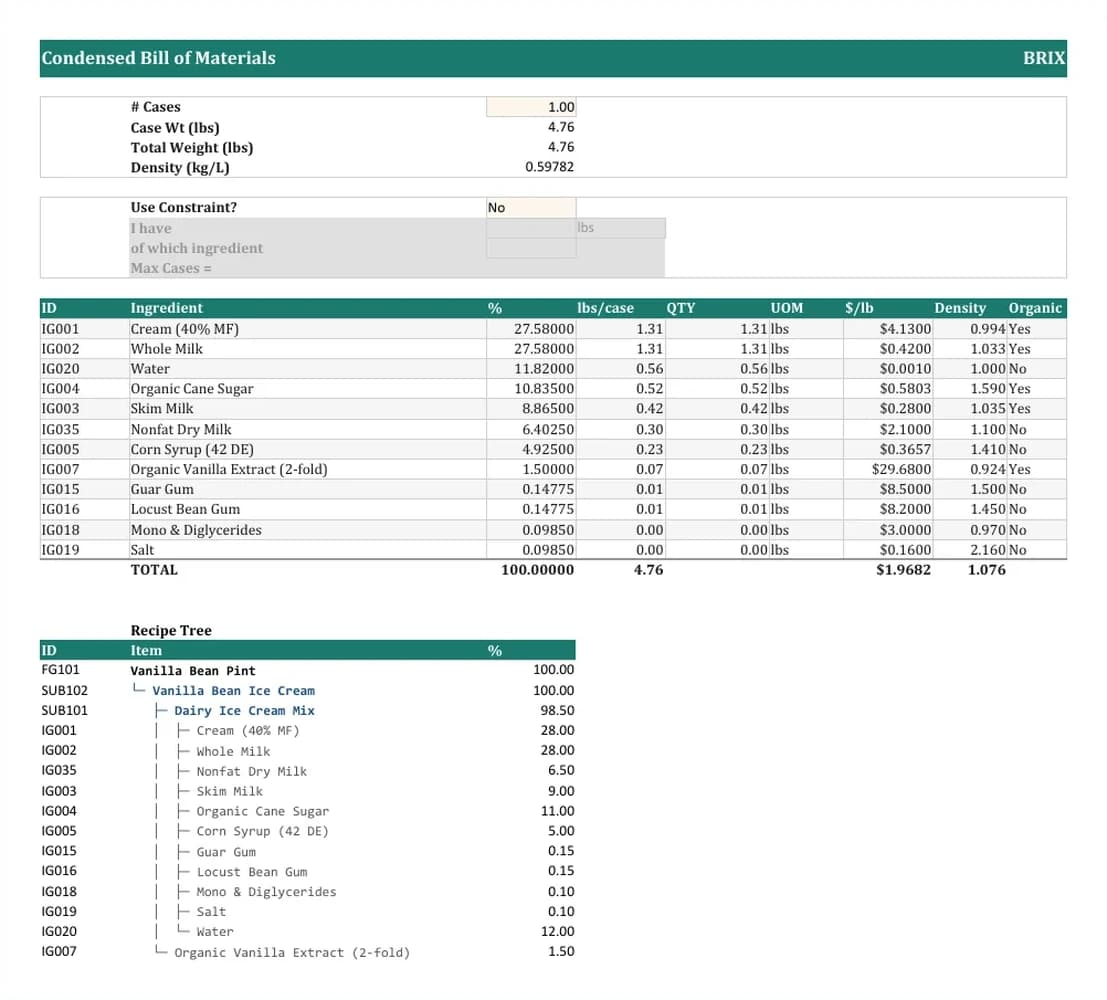
Bill of materials
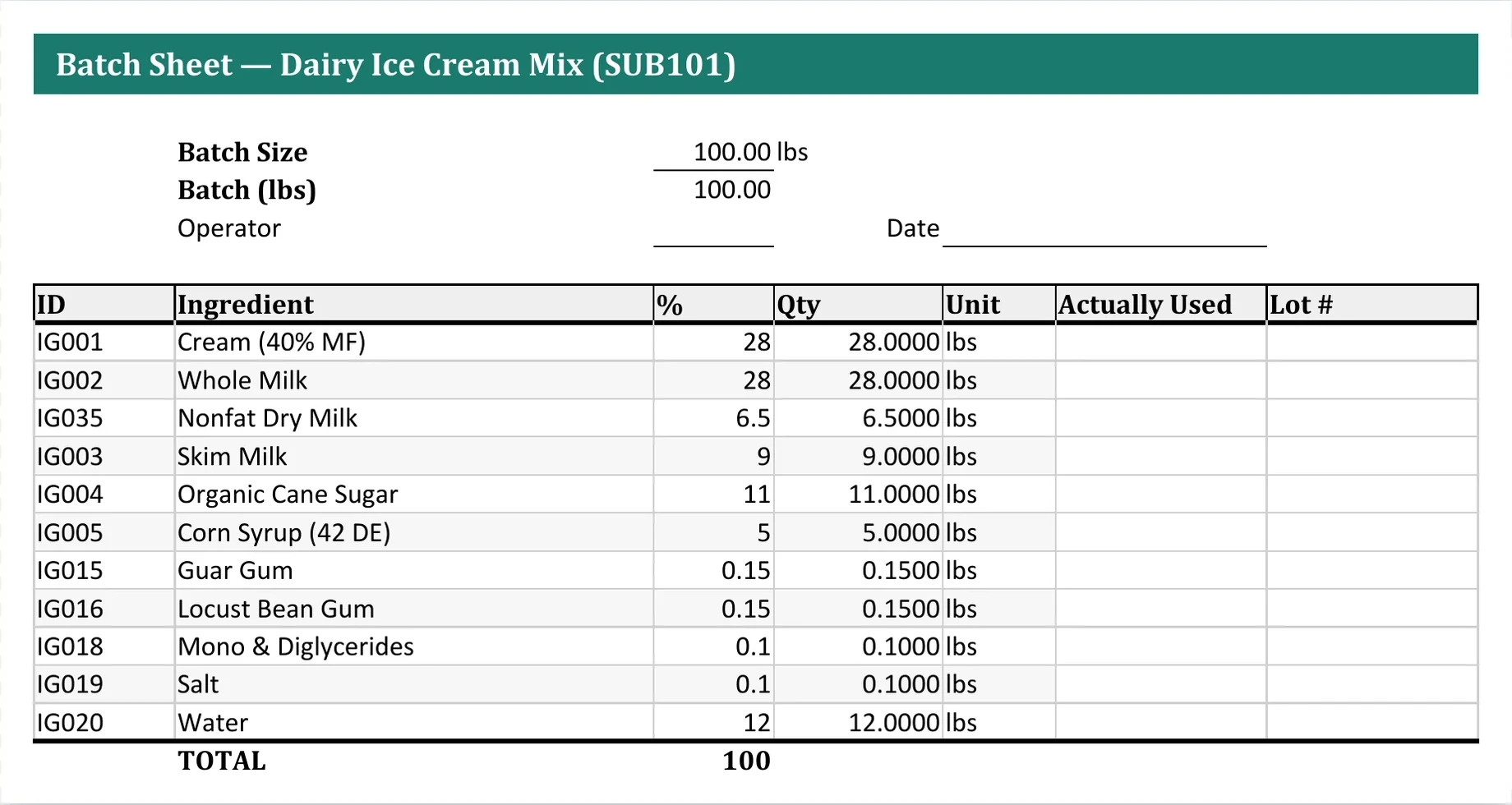
Batch sheet
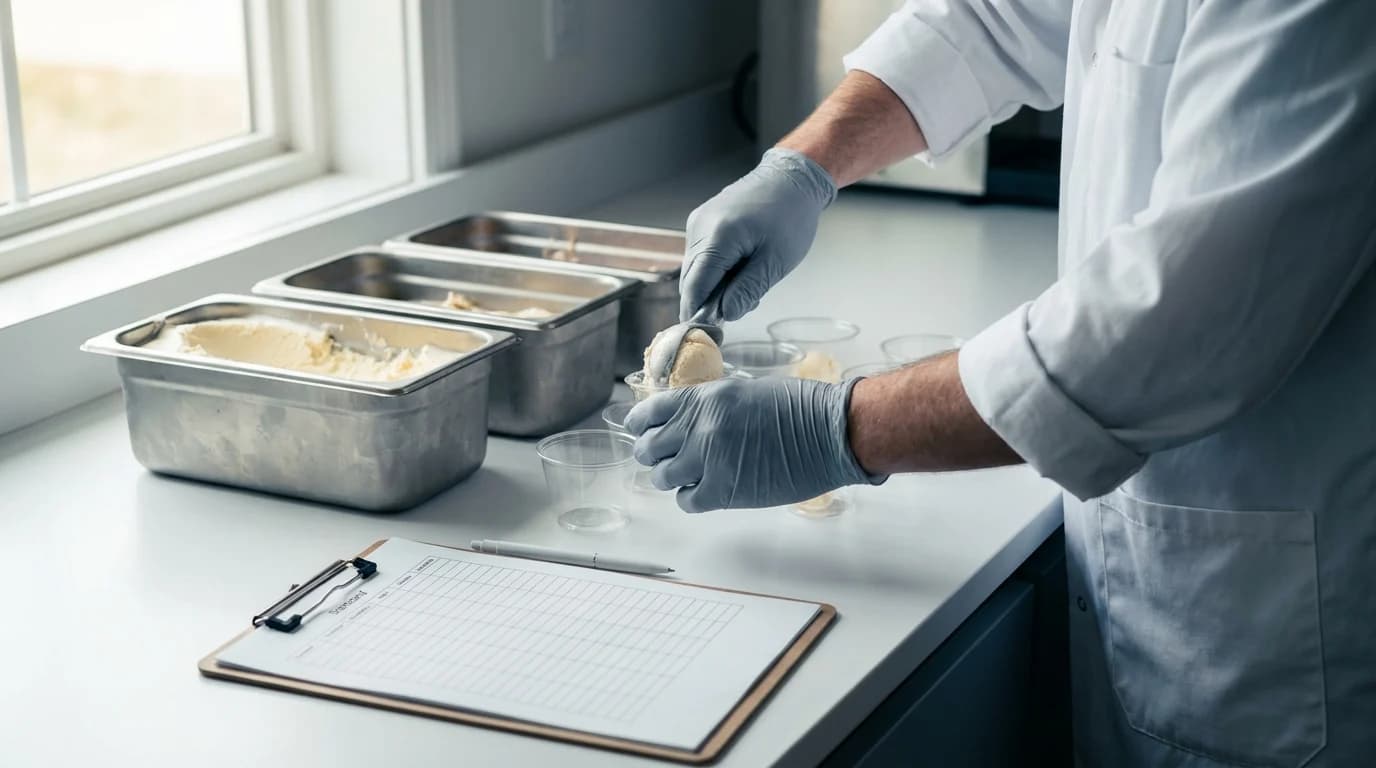
The problem
One project, scattered across a dozen files.
On a small R&D team, the formula is in one spreadsheet, the supplier spec is in an email, and the trial notes are in someone's notebook. Most of the week goes to finding things and typing them in again.

Hunting before formulating
The current spec, last month's trial result, the approved version. Each one is a search through email and shared drives.
Every change, by hand, everywhere
Swap an ingredient and the formula, the cost sheet and the label each need the same edit. Nothing checks that they agree.
AI can't help with what it can't see
An assistant is only as useful as the data it can reach. Spread across files and inboxes, there's nothing whole to work from.
Build it once.
Keep it connected.
Ingredients, formulas, trials and outputs live in one connected workspace. With everything in one place, Rigatoni, the assistant inside Brix, can answer questions and do the work across all of it.
How it works
One formula, and everything that comes off it.
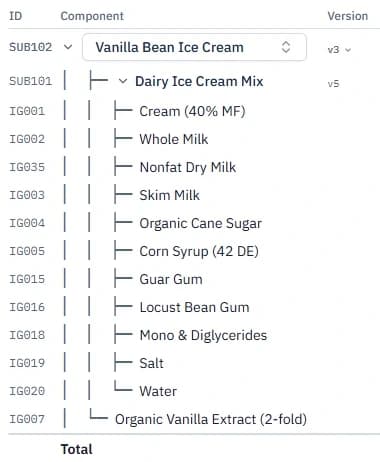
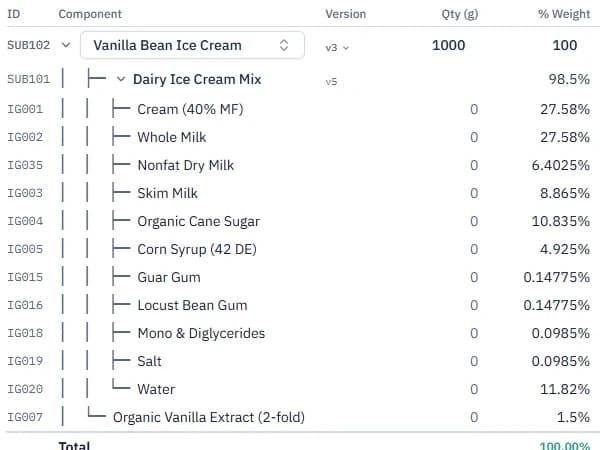
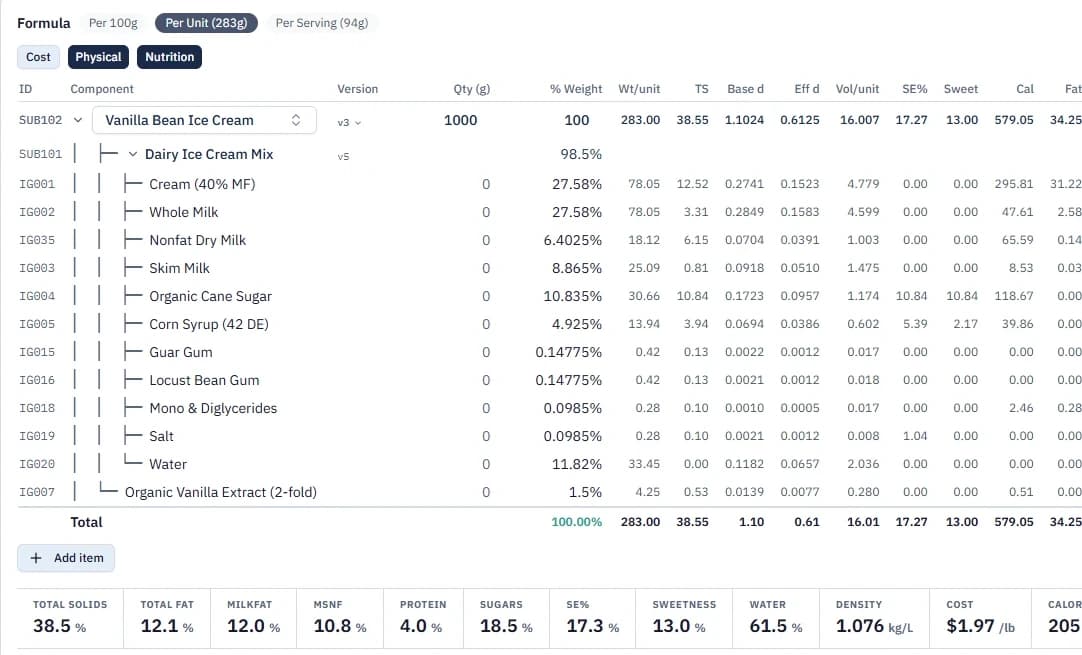
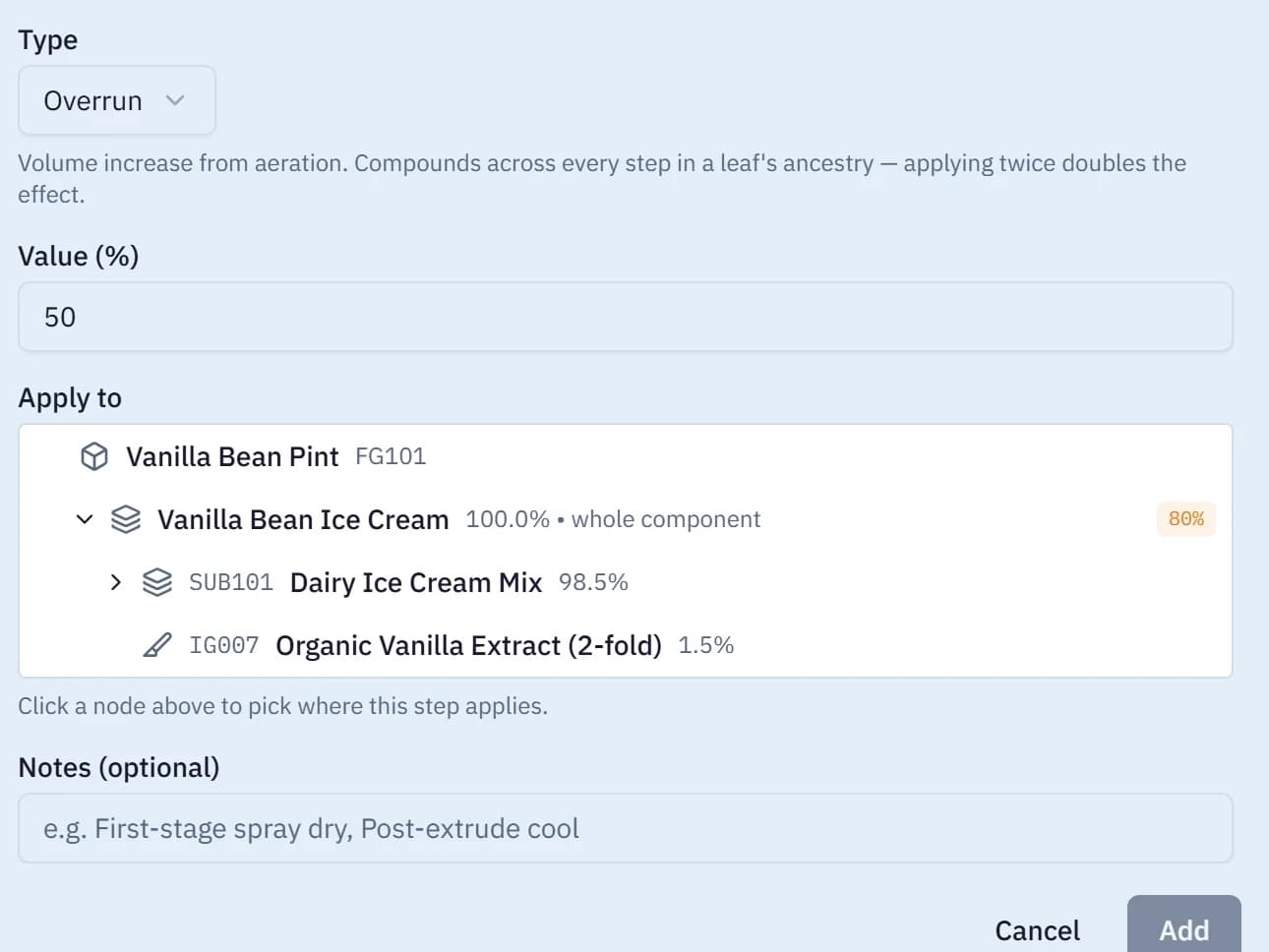
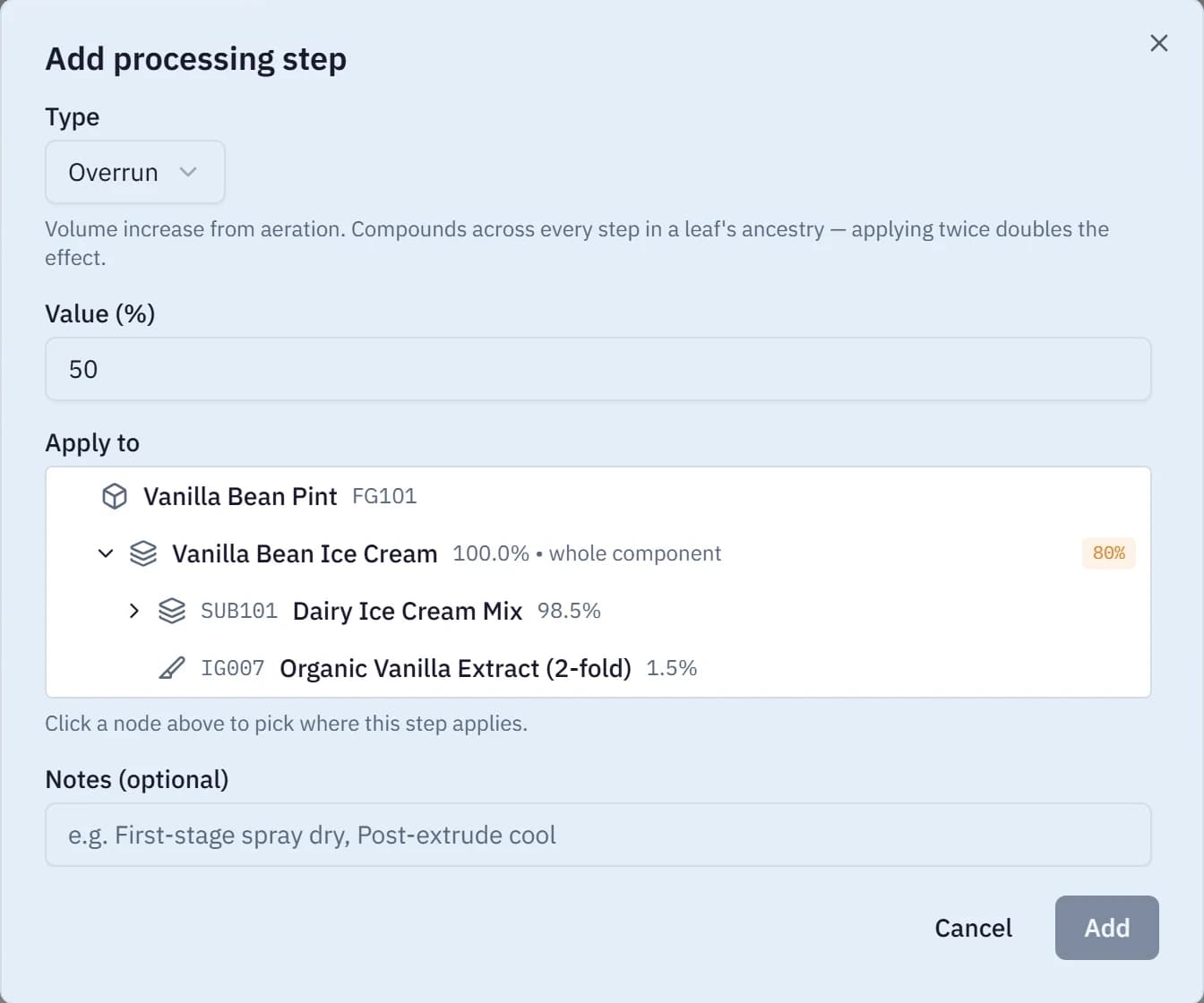
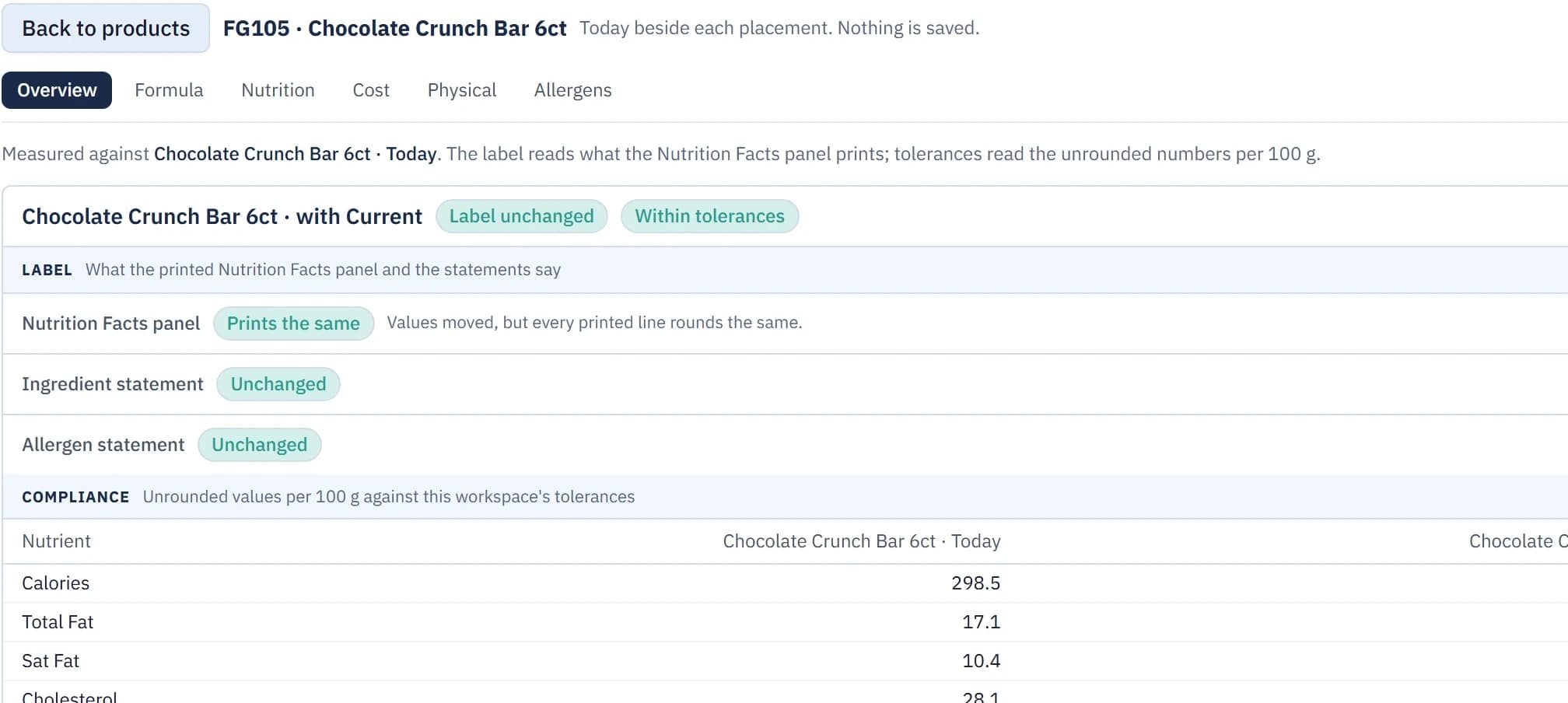
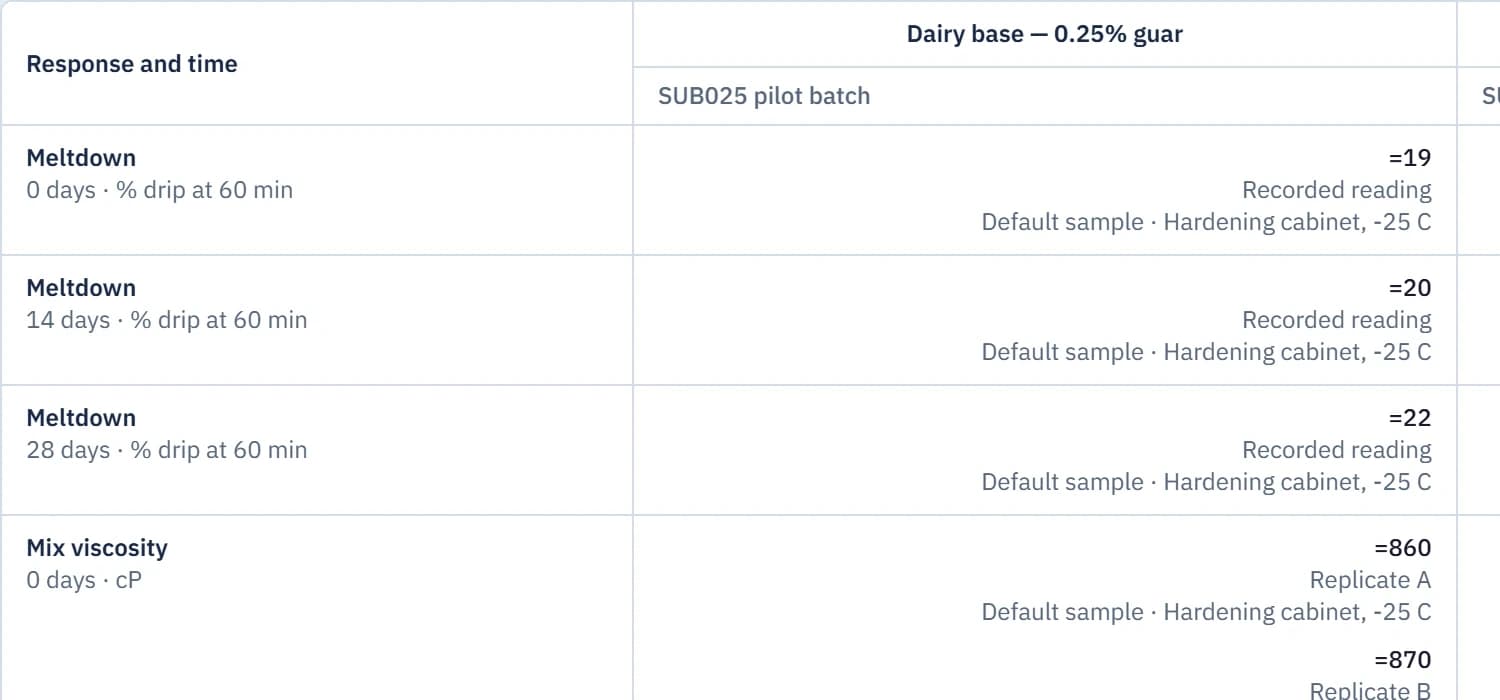
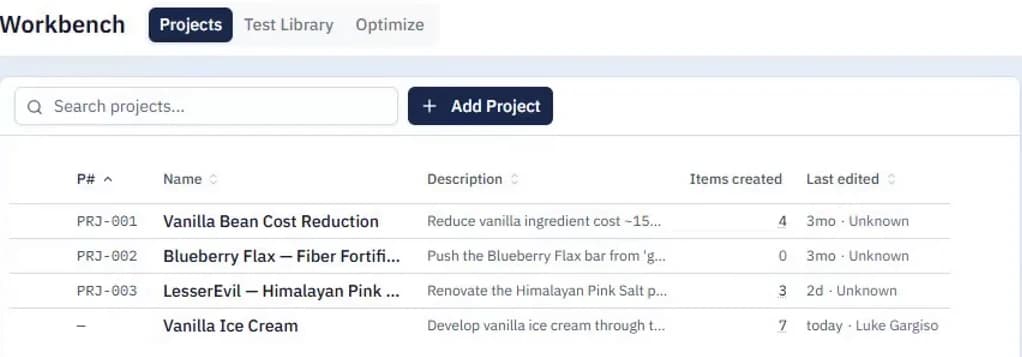
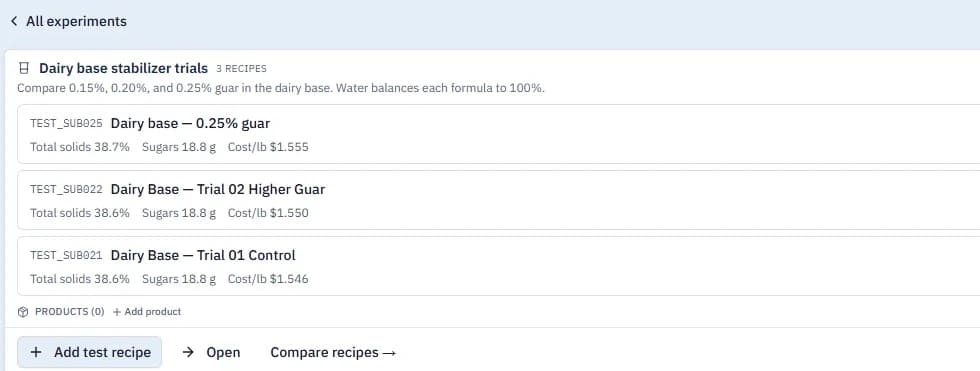
Ingredients build sub-recipes, sub-recipes build recipes, recipes become products, and every output comes off that one product. Four steps, shown with real screens from Brix.
Step 1 of 4
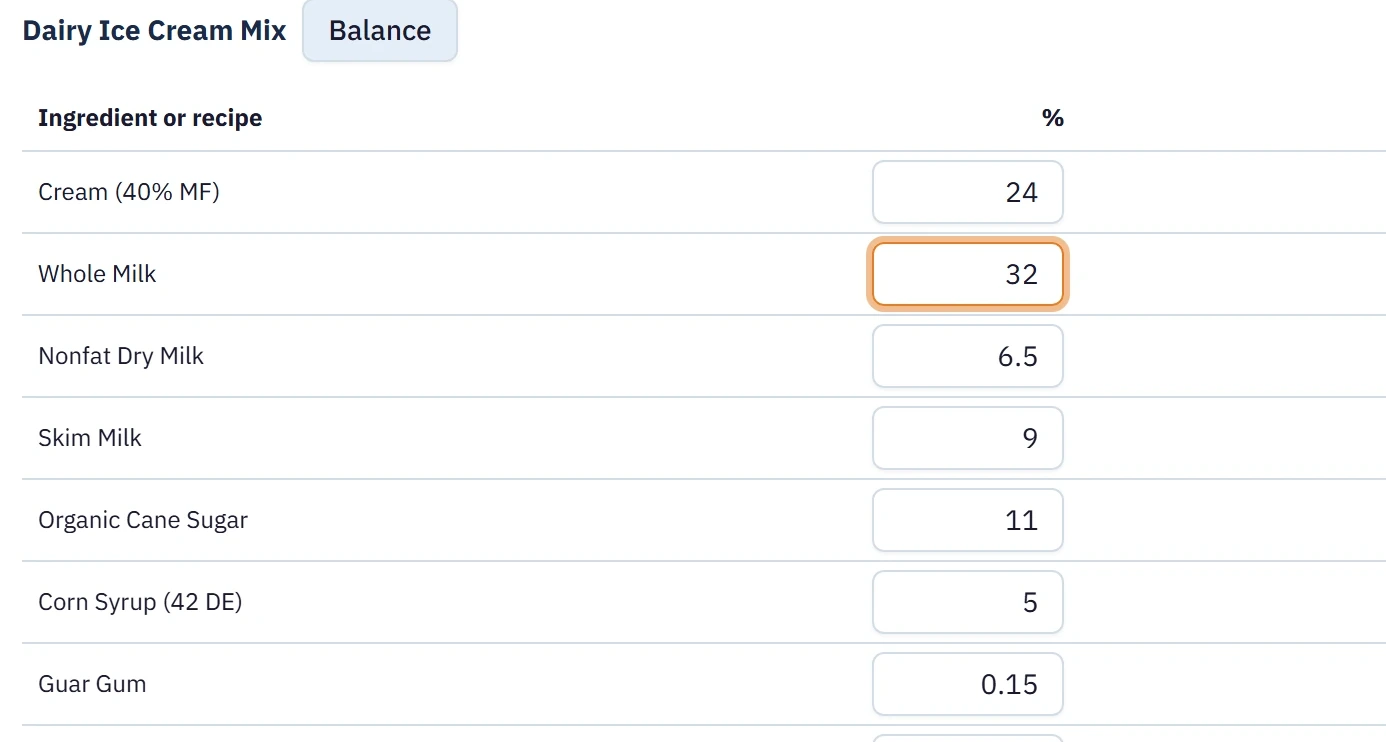
Build the formula once
Ingredients
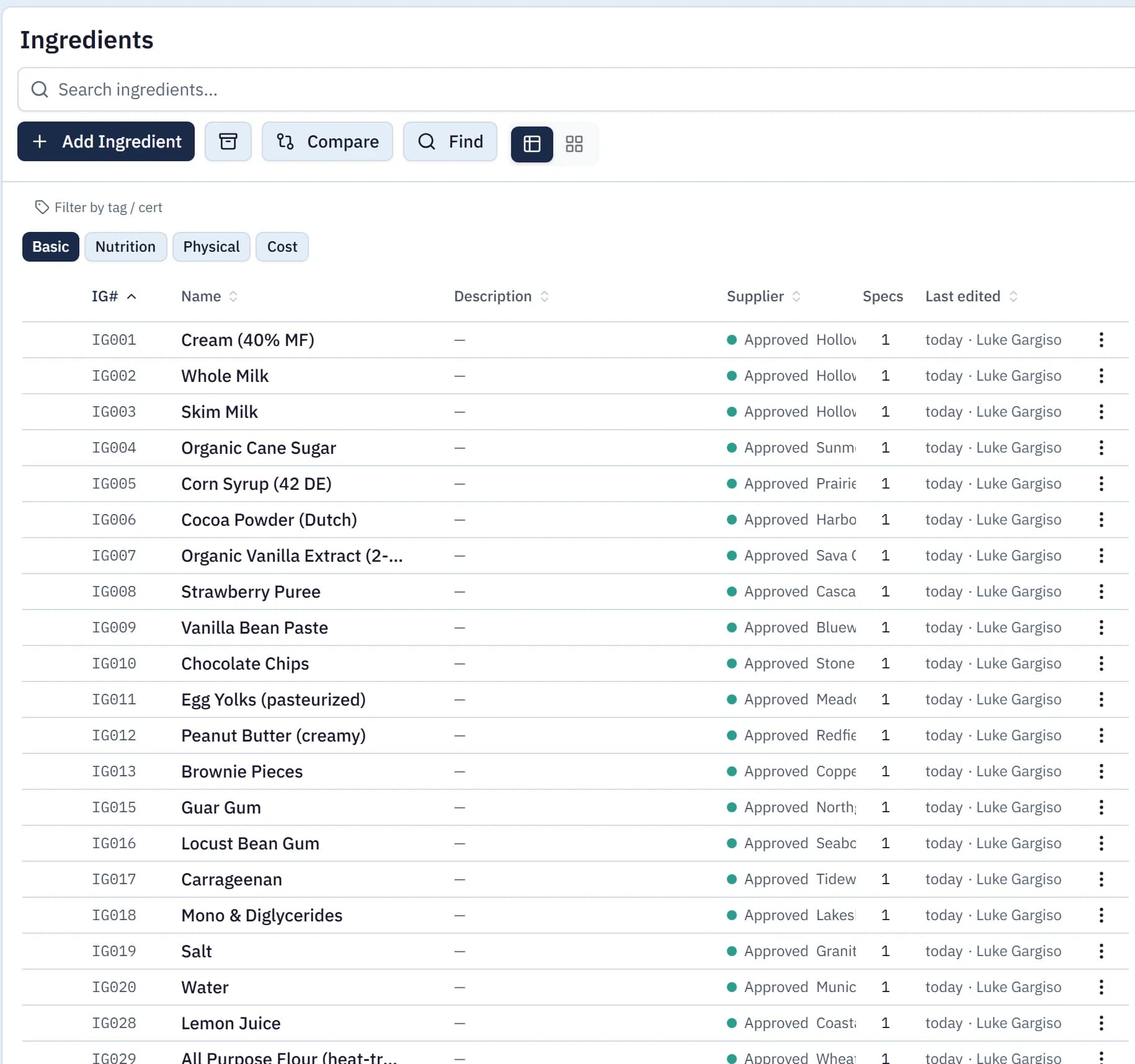
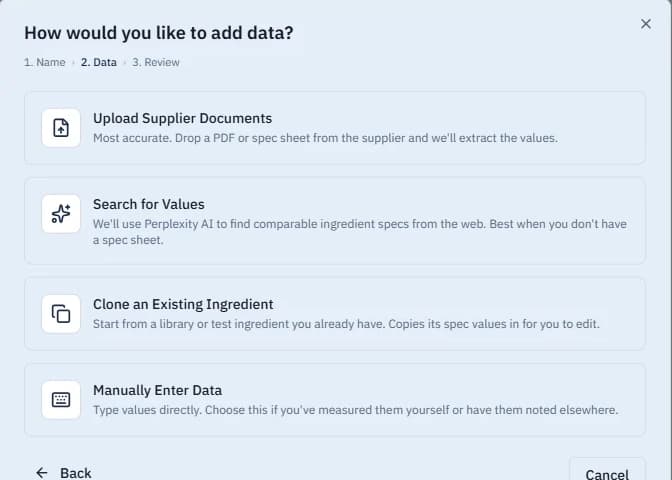
Your ingredient library holds each ingredient's supplier, cost, nutrition, physical properties, allergens and approval, and checks every record for what a label and a costing need. There are three ways to fill it.
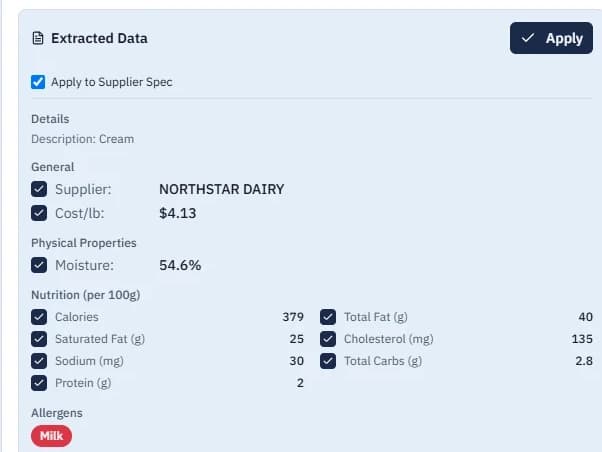
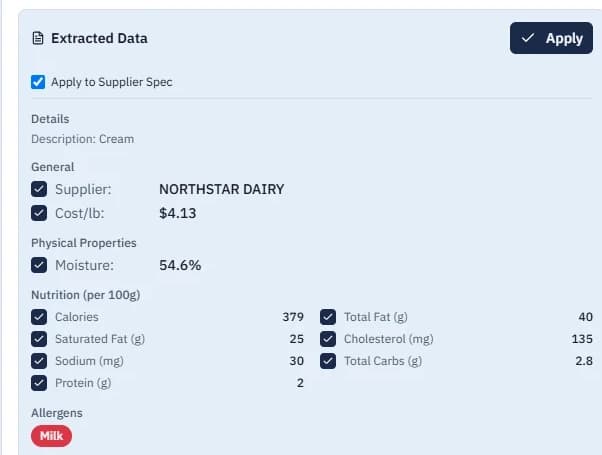
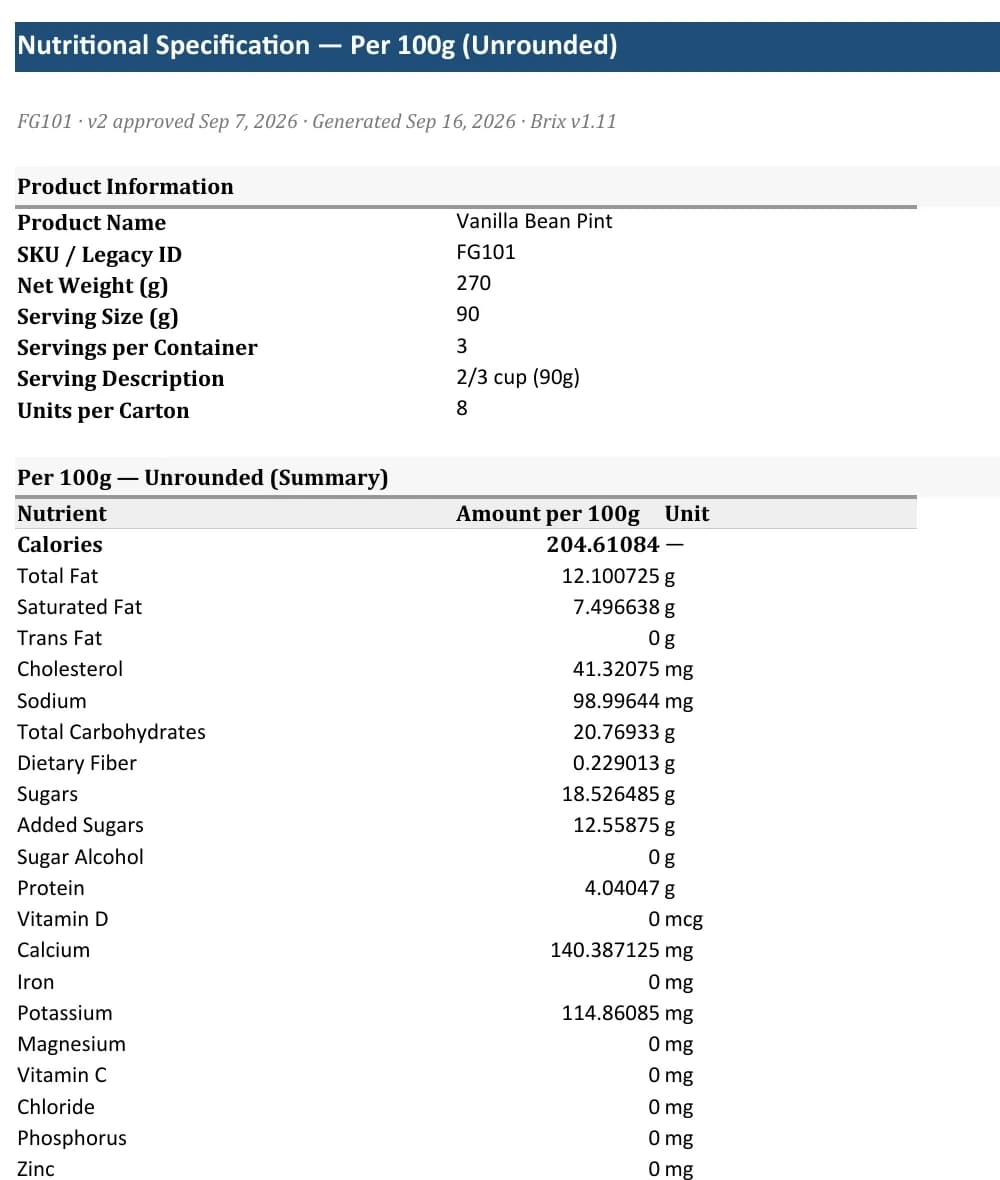
Upload the supplier's spec. Drop in a PDF or photo of the spec sheet, or paste its text. Brix pulls out nutrition, cost, allergens and QC limits, and you check each value before it's applied.
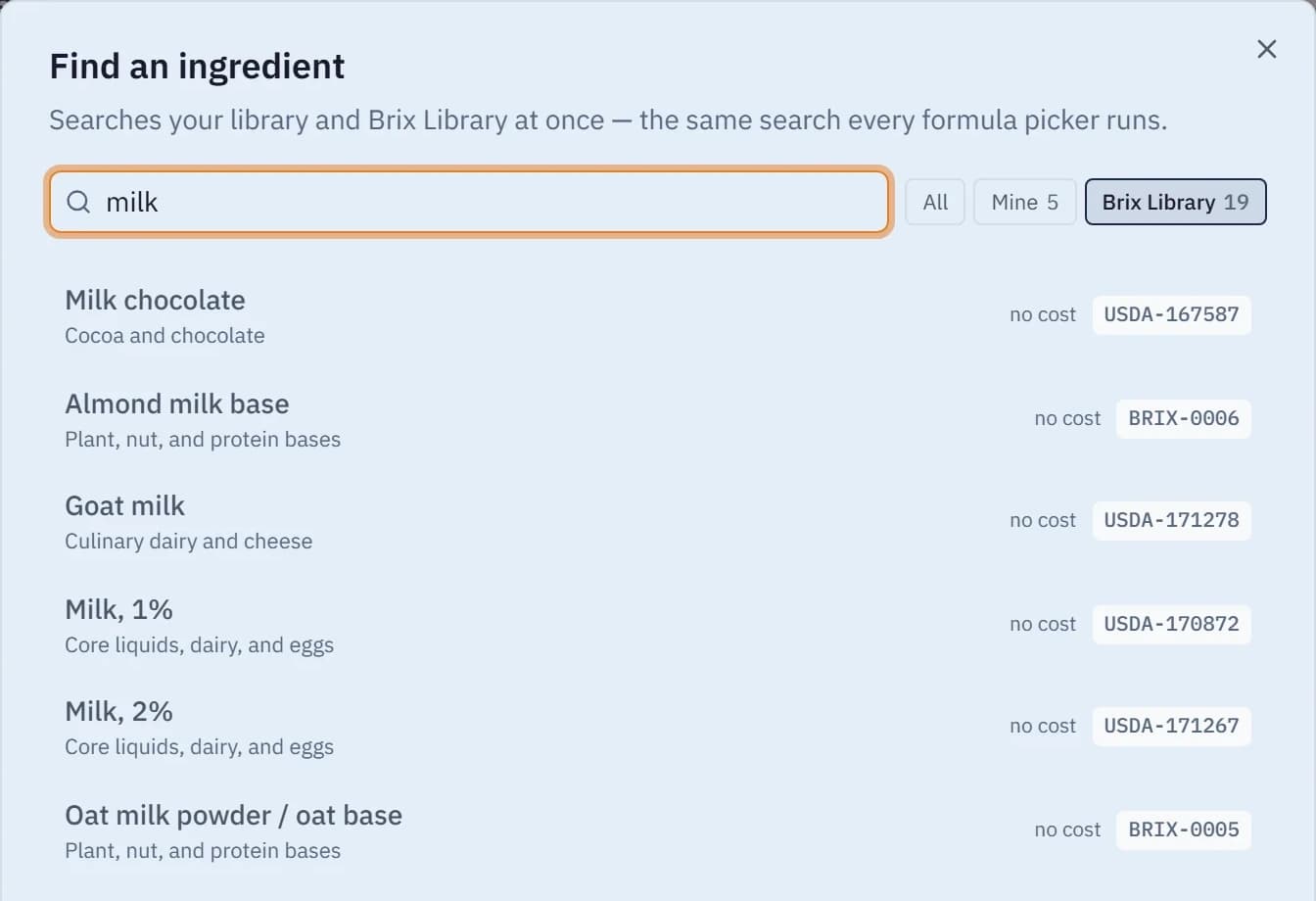
Start from the Brix Library. No spec yet? Pick a reference ingredient drawn from USDA FoodData Central and start prototyping. It shows up in every formula picker, and "Make this mine" copies it into your library when the supplier's numbers arrive.
Search, copy or type it in. Search USDA FoodData Central and the web for comparable values, copy an ingredient you already have, or enter numbers you measured yourself.




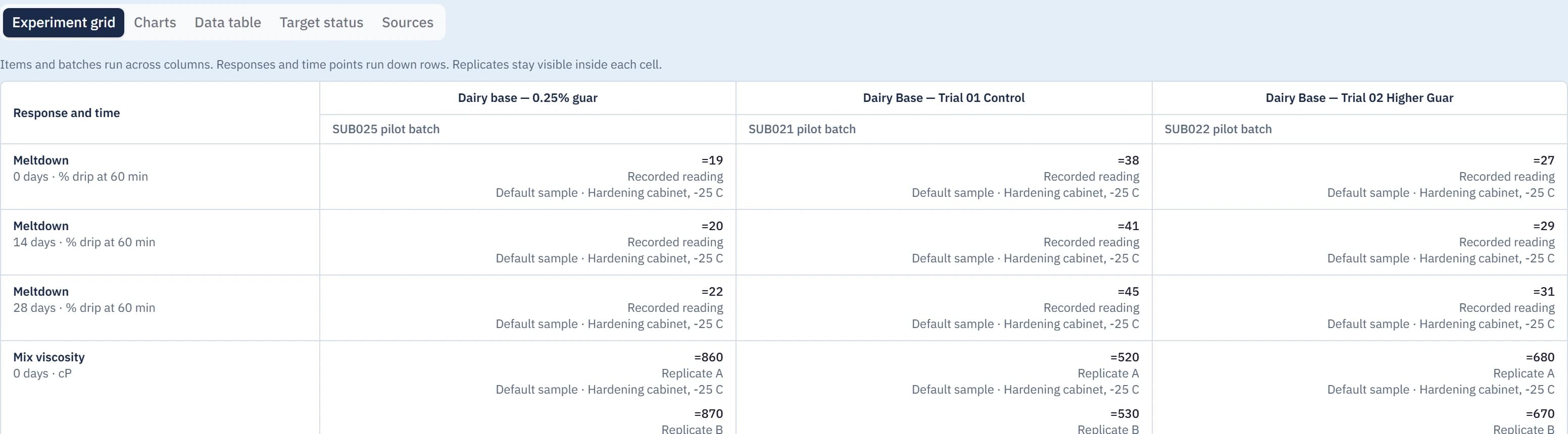
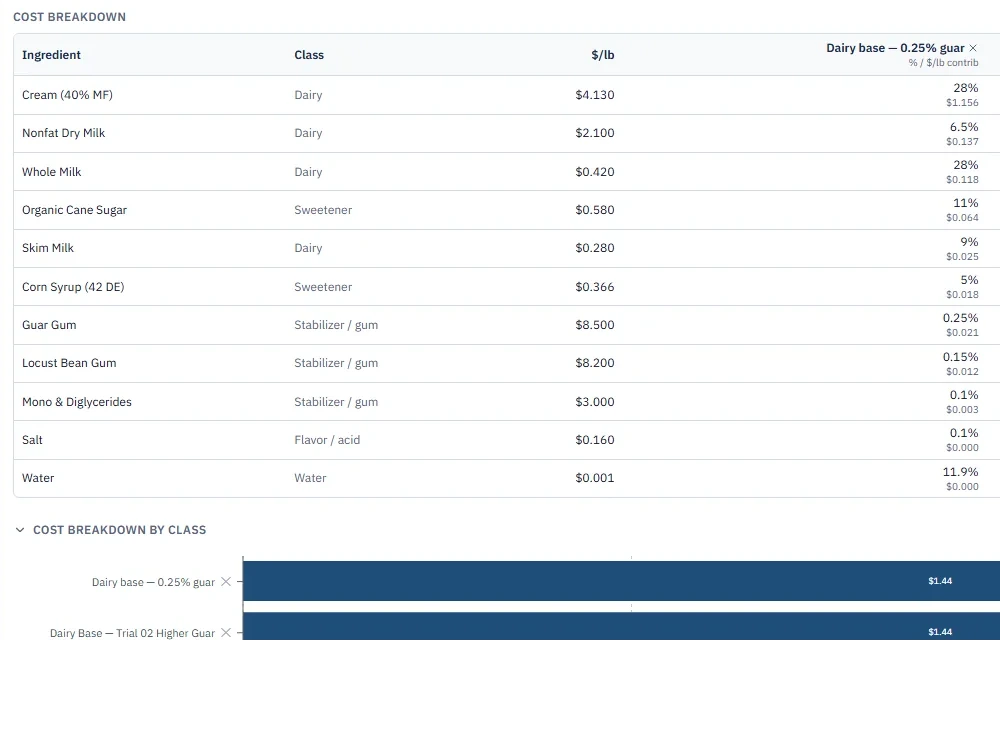
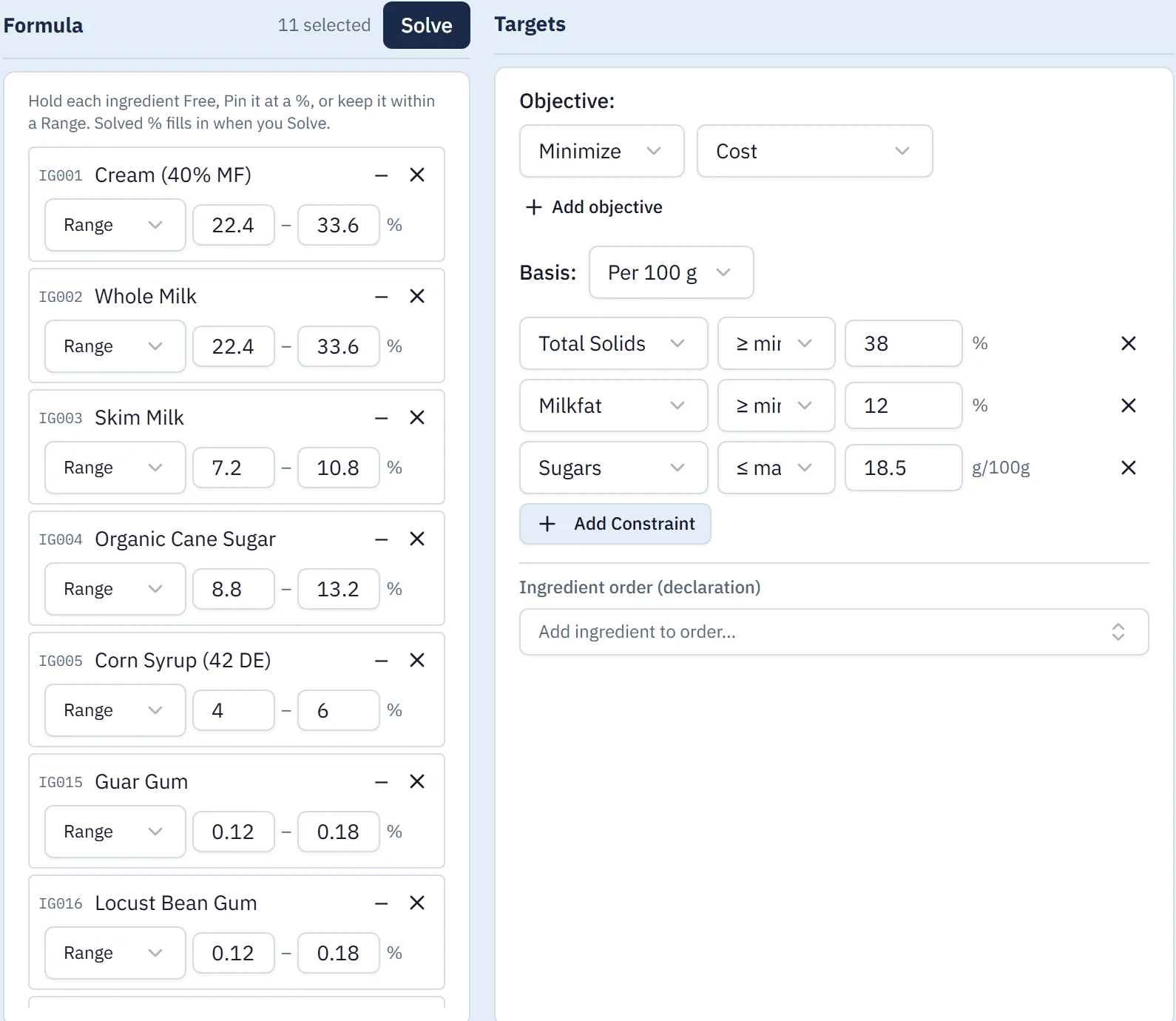
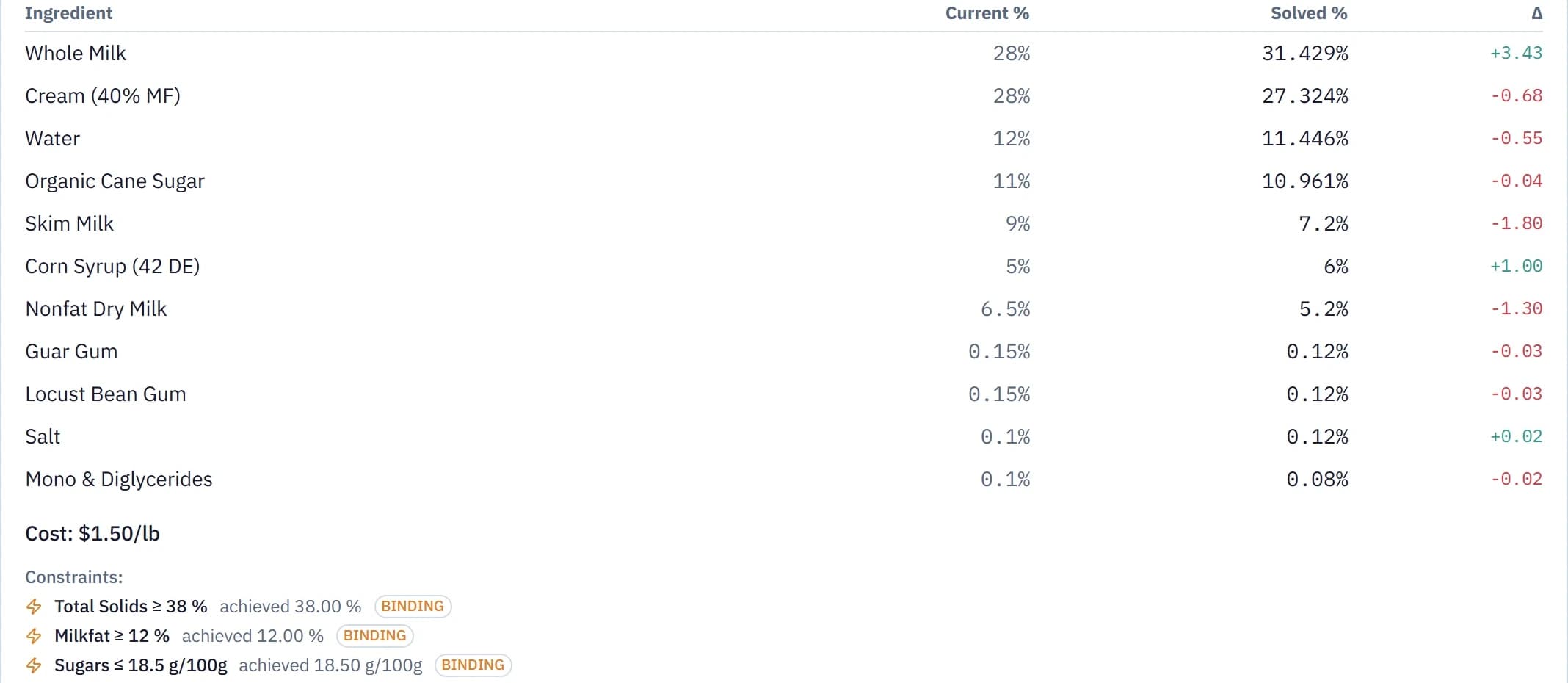

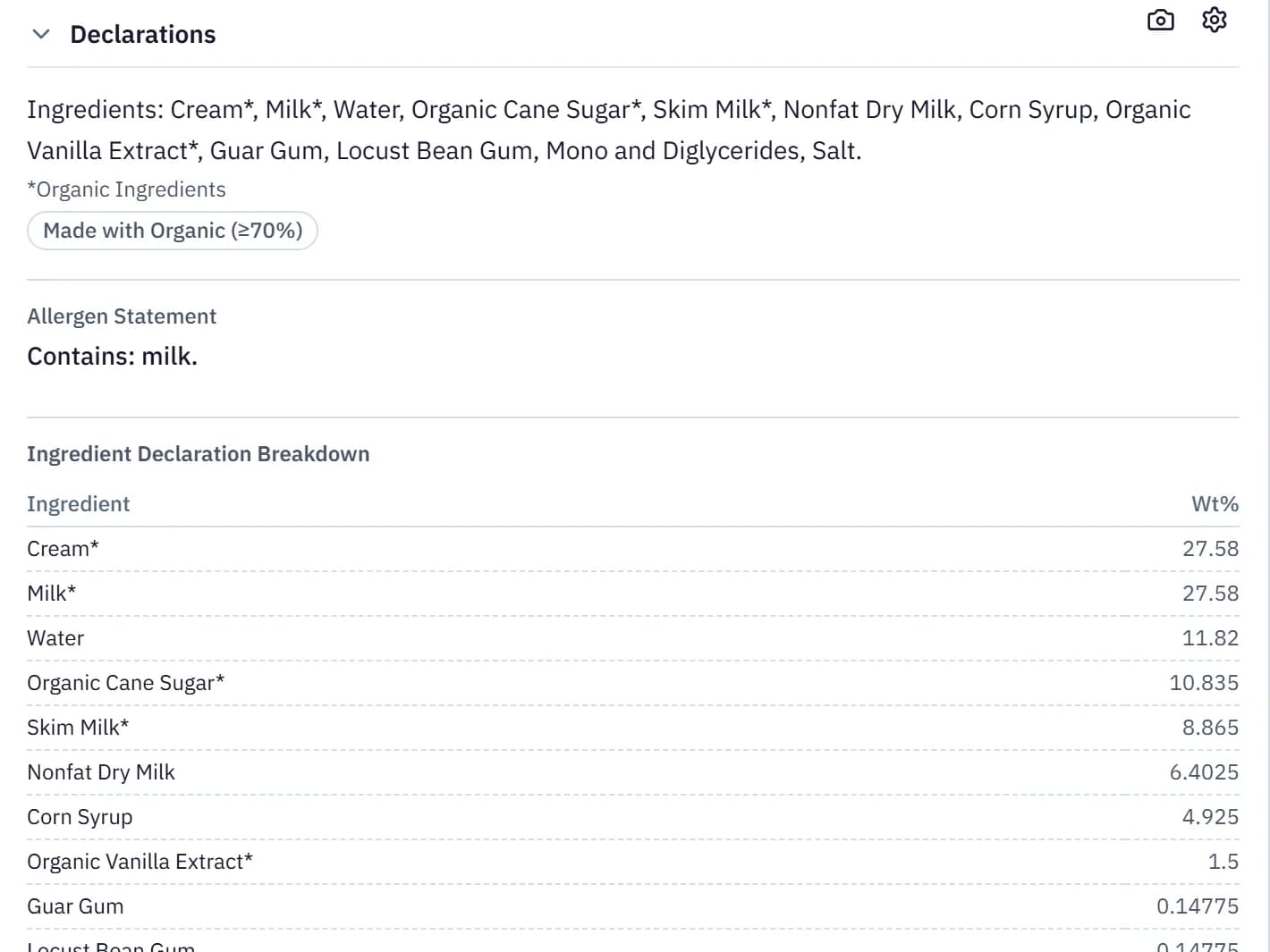
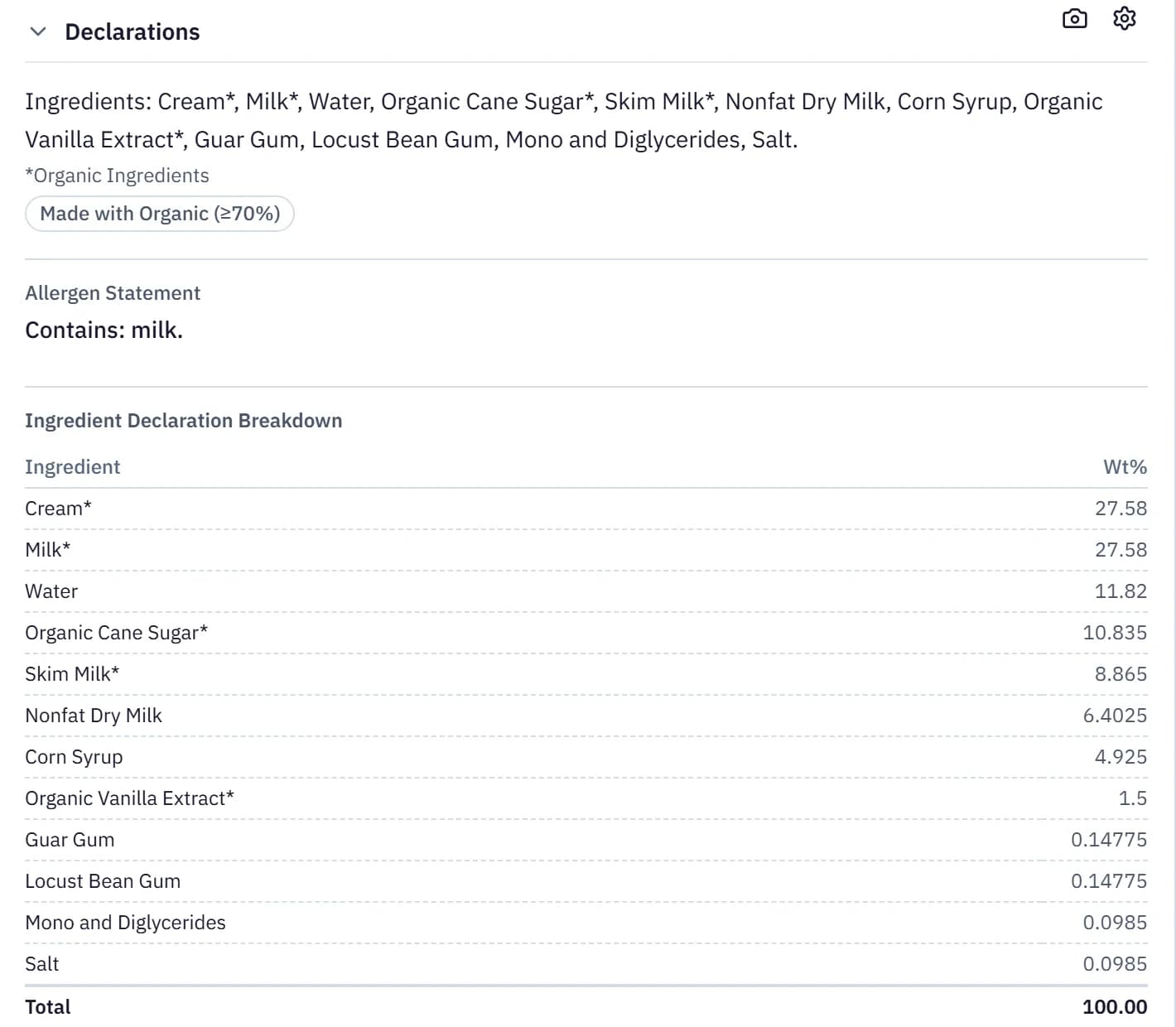
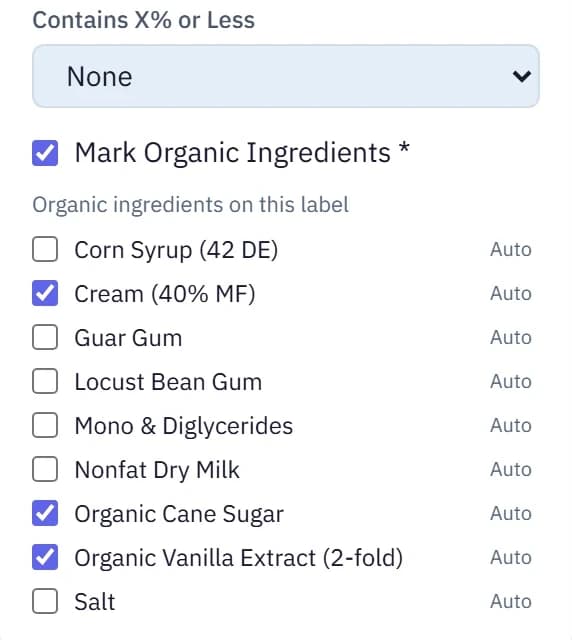
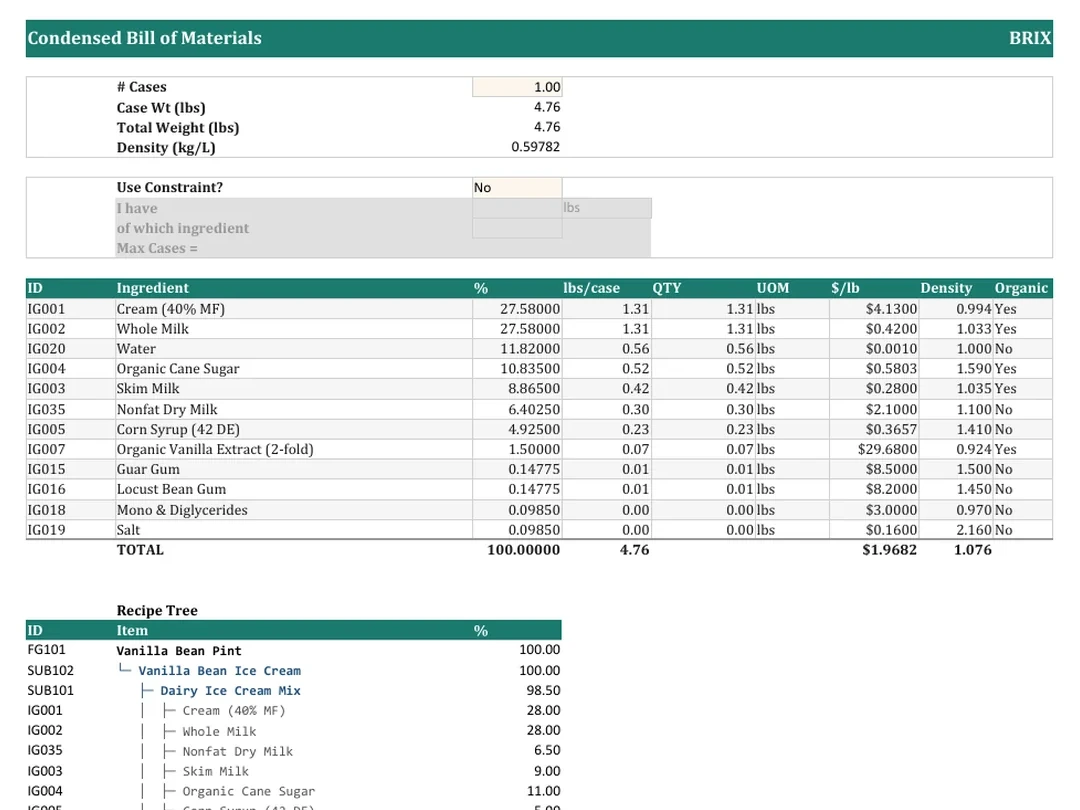
Real screens · Ridgeline demo workspace

Meet Rigatoni
Ask about your formulas.
Or hand Rigatoni the task.
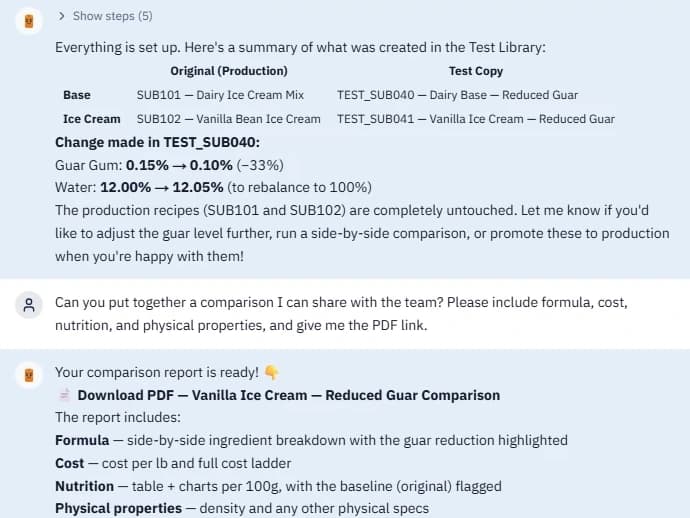
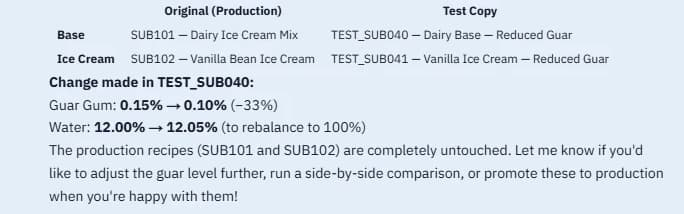
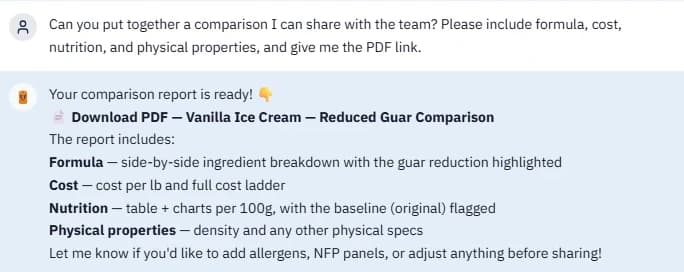
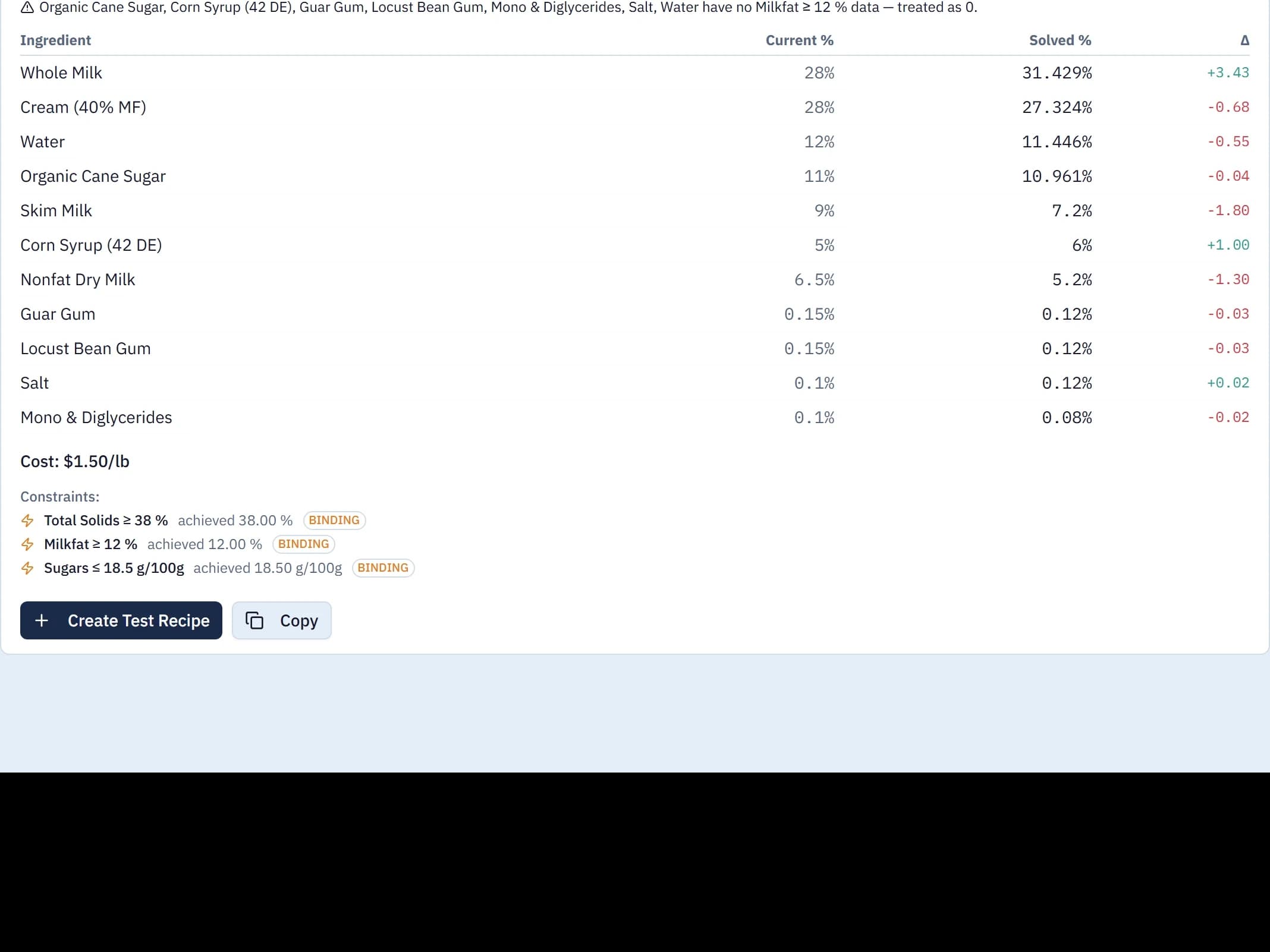
Rigatoni is the AI assistant inside Brix. It reads the same ingredients, formulas and projects you do, so you can ask it a question about a formula or have it make the change for you. Every screen below is a real conversation in the demo workspace.
Pick a question
Prefer your own tools? API and MCP access are included for connecting your AI assistant or internal tools. Export records and documents as CSV or PDF when you need them.
Recorded in Brix · demo workspace
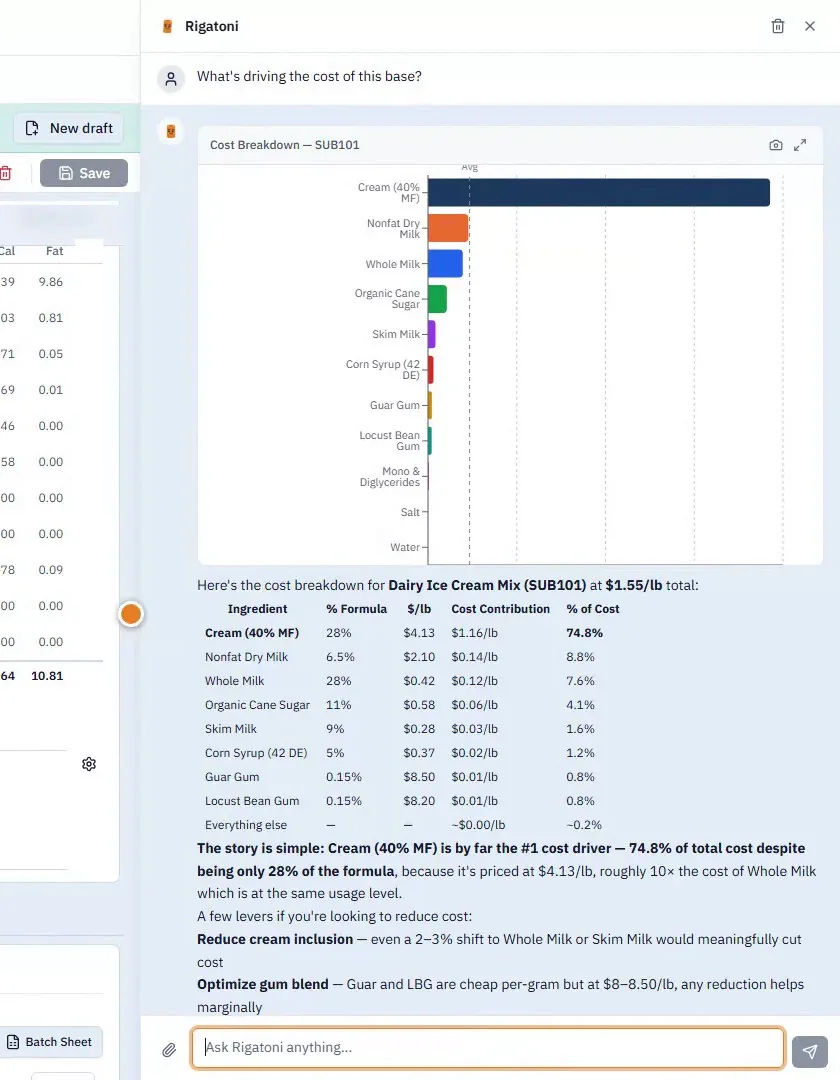
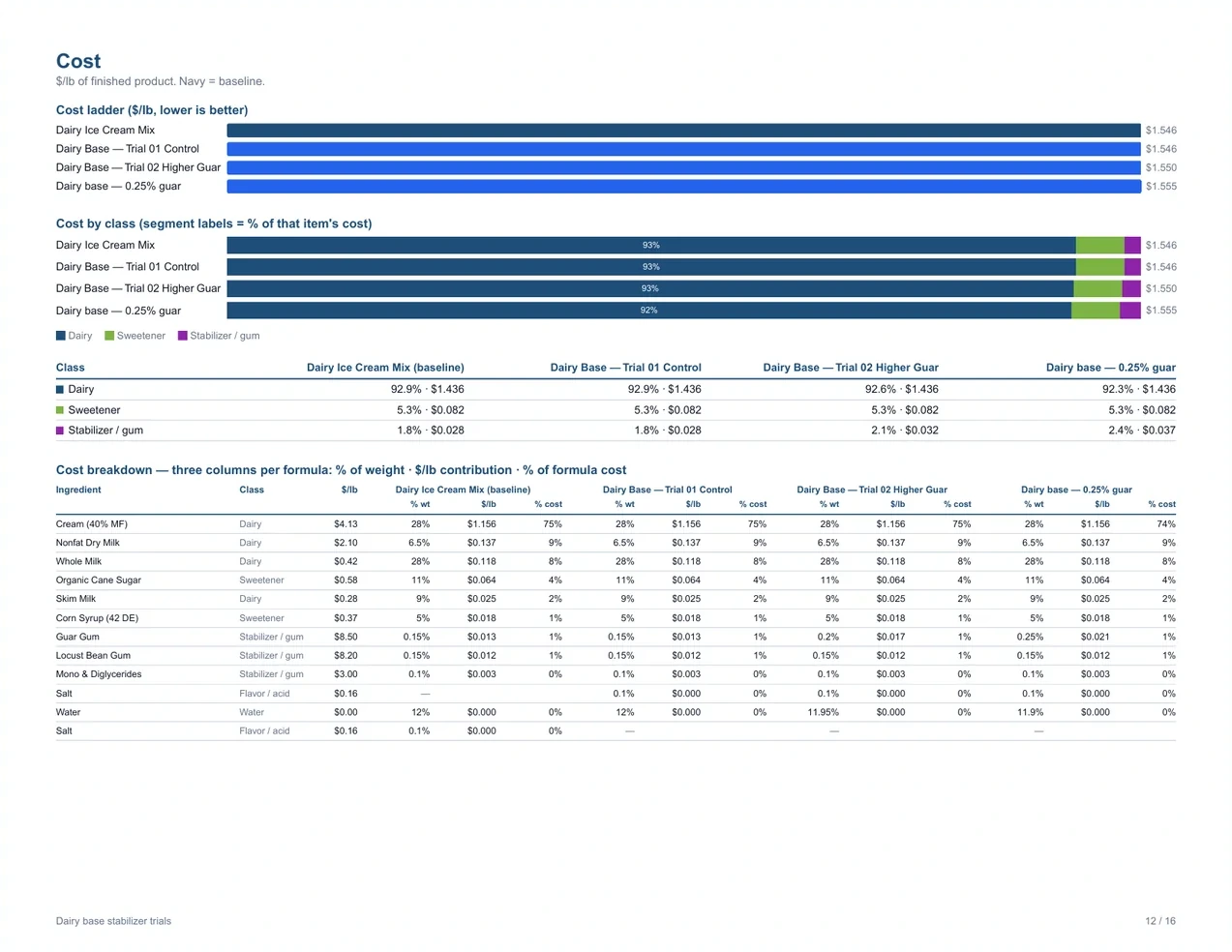
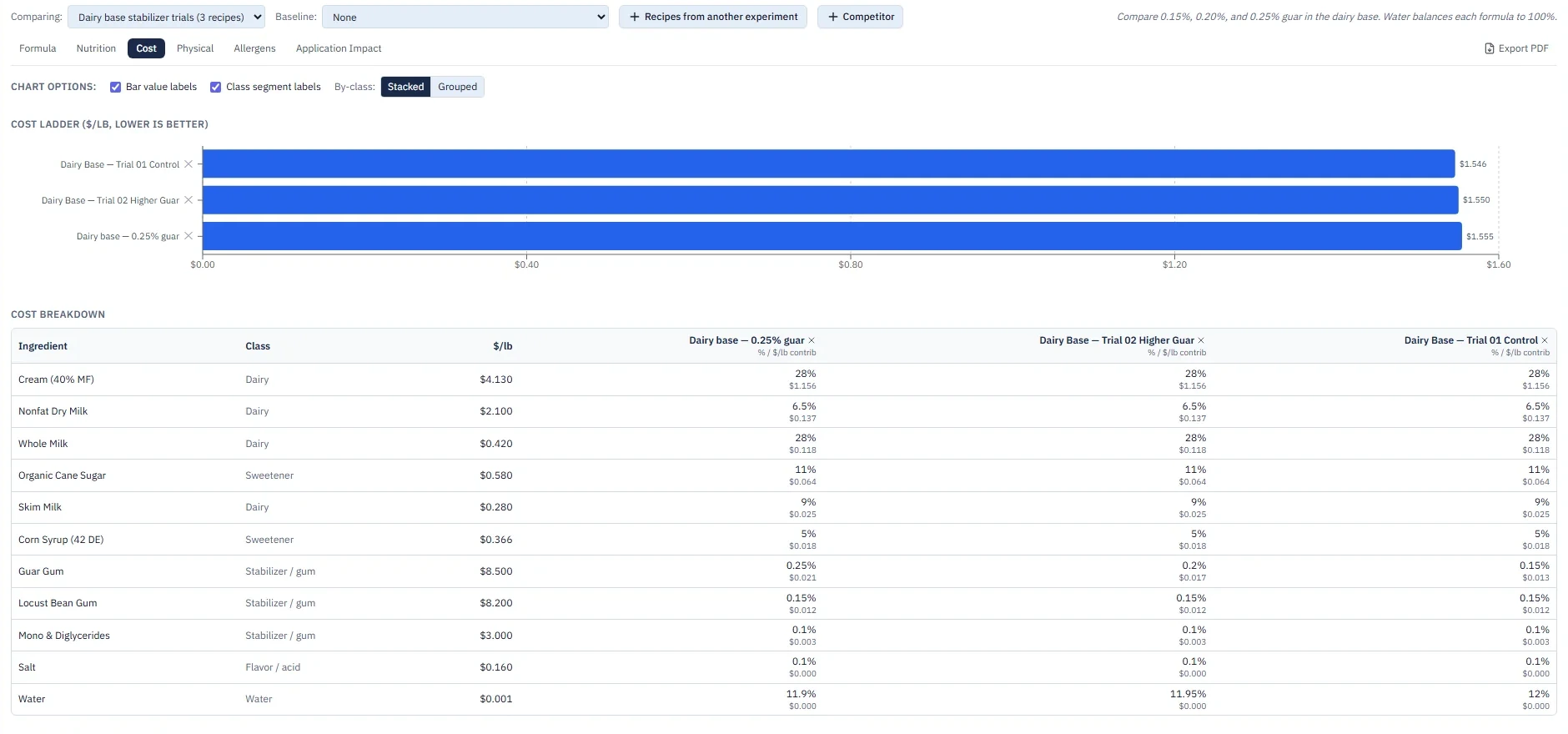
What Rigatoni did. Rigatoni read the dairy sub-recipe, broke its $1.55/lb down by ingredient and charted it. Cream is 28% of the formula and 75% of the cost.
Team pricing
One workspace.
Room for your team.
One plan for the core R&D workflow, with 3 full users included. Share read-only access with colleagues at no extra charge.
- Ingredients, recipes, and products without record limits
- Formulation, what-if analysis, optimization, and costing
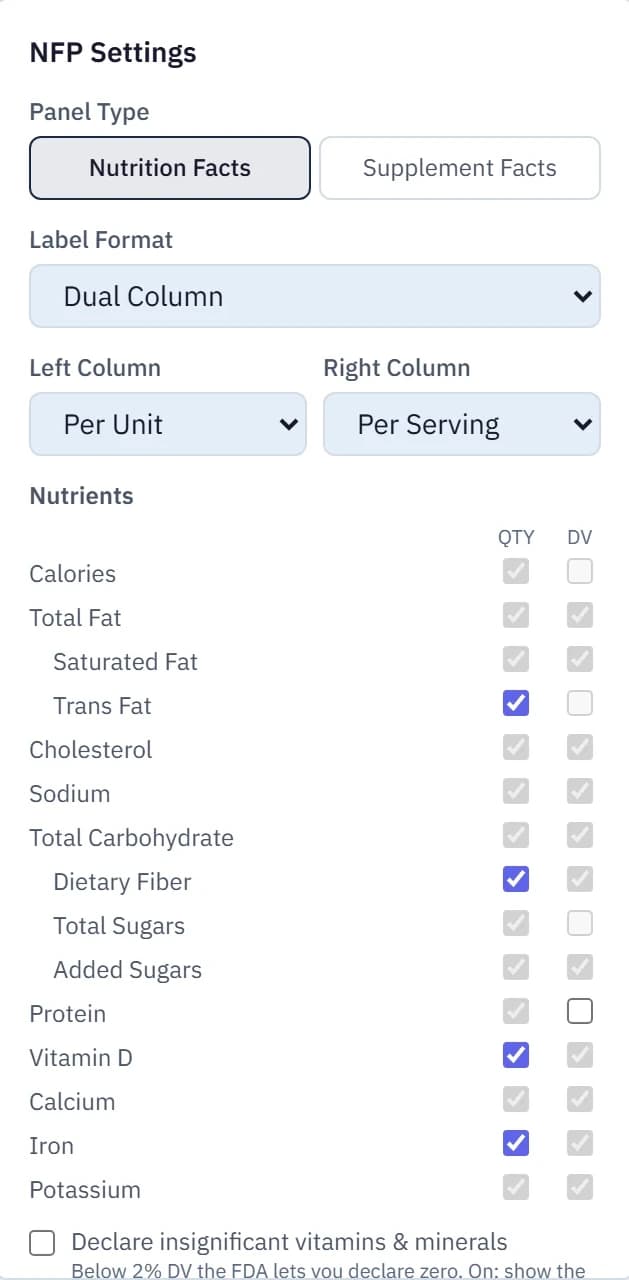
- Nutrition Facts, BOMs, batch sheets, and spec exports
- Drafts, approvals, version history, and audit trail
- Workbench: projects, experiments, trials, and lab notes
- Supplier compliance, reverse engineering, and comparisons
- Rigatoni AI, plus API and MCP access
Larger migration or custom integration? Let's scope it together.
Brix Team
$3,600/year, paid annually. Or $350/month month to month; cancel before your next billing period.
- Full users included
- 3
- Additional full users
- $49 / month each
- Read-only users
- Free
Free 7-day guided pilot. No credit card required.
Includes a setup session, help with your first import, and email support. AI allowance is confirmed before your pilot; additional paid usage requires your approval.
Before you start
A few practical details.
Can Brix help if we already use labeling software?
Yes. Start with the work you still manage around it: ingredient and recipe spreadsheets, trial notes, cost comparisons, and checking the impact of a change across products. Brix brings those tasks into the same workspace and also generates Nutrition Facts and product documents. Your demo can focus on the part of your process you want to improve first.
What happens during the pilot?
After a demo, we agree on one real task to complete in Brix and help you load your first product and ingredients. Your free 7 days start once that initial data is usable. We check in along the way and review the result together before you decide whether to subscribe. No credit card is required for the pilot.
Who counts as a full user?
Anyone who edits data or approves changes counts as a full user. Your company subscription includes 3 full users; additional full users are $49 per month each. Read-only users are free. Additional users on an annual subscription are billed at $588 per year each.
Can we bring our existing data?
Yes. We help you prepare your ingredient and recipe spreadsheets for the Brix import template, then review the imported data with you. You can also extract ingredient information from supplier spec sheets for review. The included onboarding covers your first import and a setup session; larger migrations, extensive data cleanup, and custom integrations are scoped separately.
What happens when an ingredient changes?
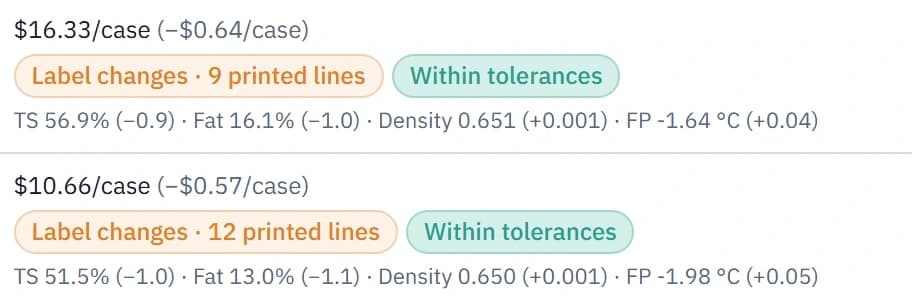
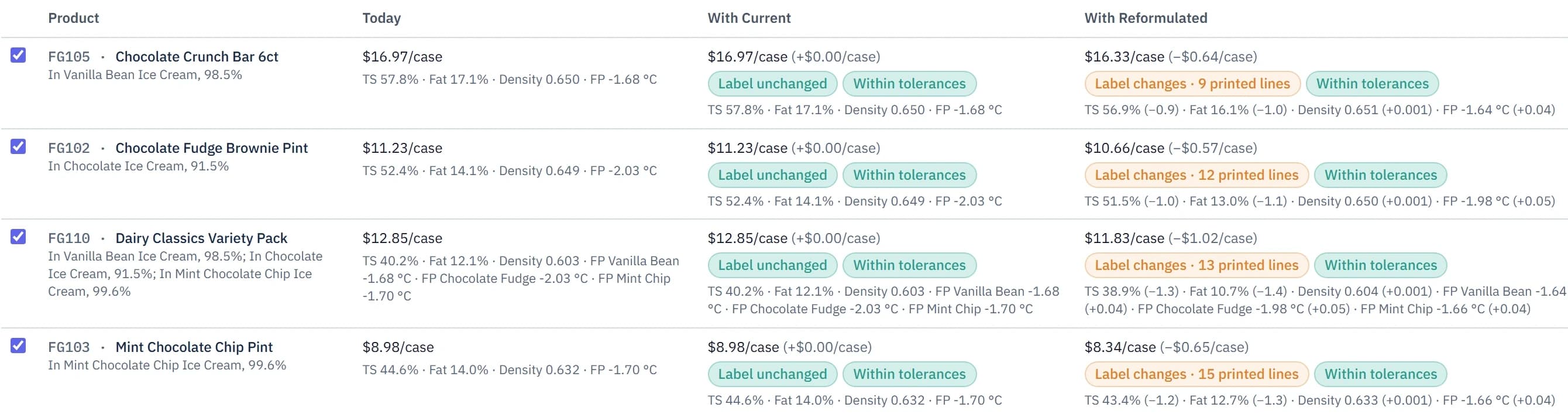
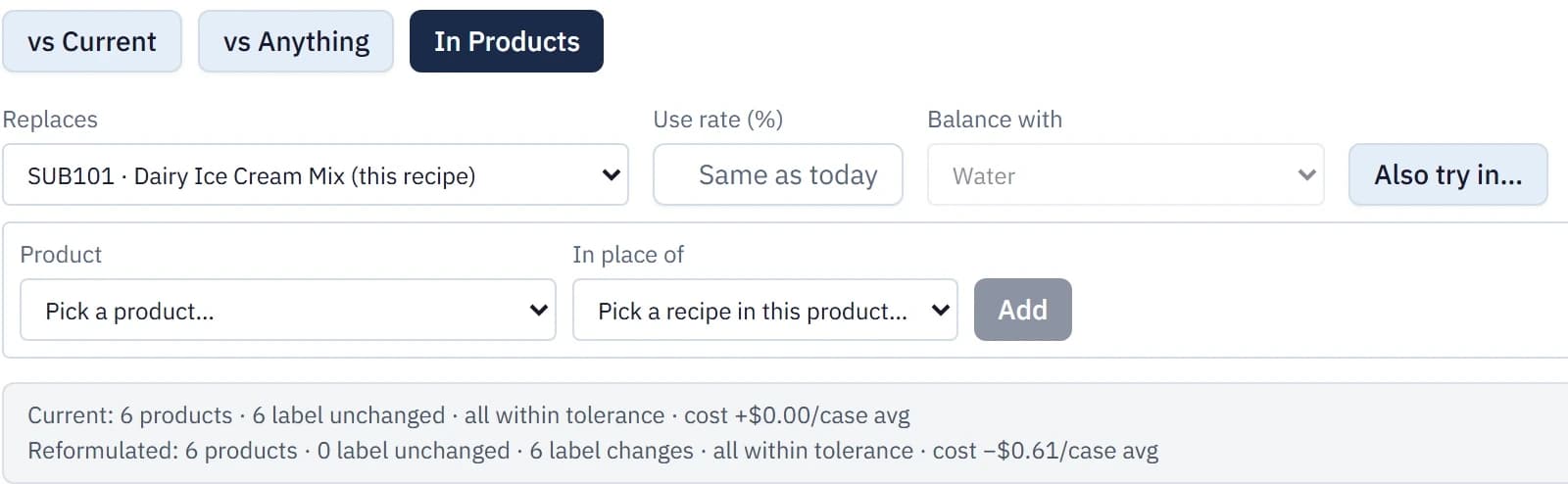
Use What if to preview an ingredient or recipe change across the formulas and products that depend on it before changing live data. Separately, your workspace settings determine whether approved formulas retain their approved ingredient specs or follow the latest approved data. Version history, change indicators, and export checks help you see what you are working with before you approve or share it.
Can I use Brix at the bench or on my phone?
Brix runs in your browser on a computer or phone. Open your projects, recipes, and lab notes where you are working, using the same workspace as the rest of your team.
Is our formulation data used to train AI?
No. Your data is not used to train AI models. When you use an AI feature, the content needed for that request is processed by our AI provider under agreements prohibiting model training on your content. Our privacy policy explains how your information is handled.
How is our data kept secure?
Your data is encrypted in transit and at rest, and stored in the United States. Access to production systems and your workspace is limited to what is needed to operate and support the service. You can export your data at any time, including for 30 days after a subscription ends. The Security page, linked at the bottom of every page, has the details and the service providers we use.
How does AI usage work?
The plan includes an AI usage allowance, which we confirm with you before the pilot. Additional paid usage requires your approval. We review your expected usage during setup, including any workflows connected through the API or MCP.
Can we cancel or take our data with us?
Monthly subscriptions can be canceled before the next billing period. The annual option is prepaid for one year. Your formulas and ingredient data belong to you, and you can export records and documents or access your data through the API. See our terms and privacy policy for the full details.

Less time in spreadsheets. More time making the food you're proud of.
Book a thirty-minute demo and bring the formula you're working on next. We'll help you load your first product and work with you through a 7-day pilot.
Book a demo